Announcements

Company announcements your whole crew actually sees

Important updates get lost on a break-room noticeboard or in a busy group chat. CrewSteps announcements reach the people they're meant for and stay visible on the dashboard until they're no longer needed.

A smiling warehouse manager with a gray beard holding a tablet beside a CrewSteps laptop listing announcements with read counts and a phone showing the holiday schedule announcement.
Illustrative screen with example information.

The right update for the right people

Write the title and message, choose the people or groups who should see it, and preview it before posting.
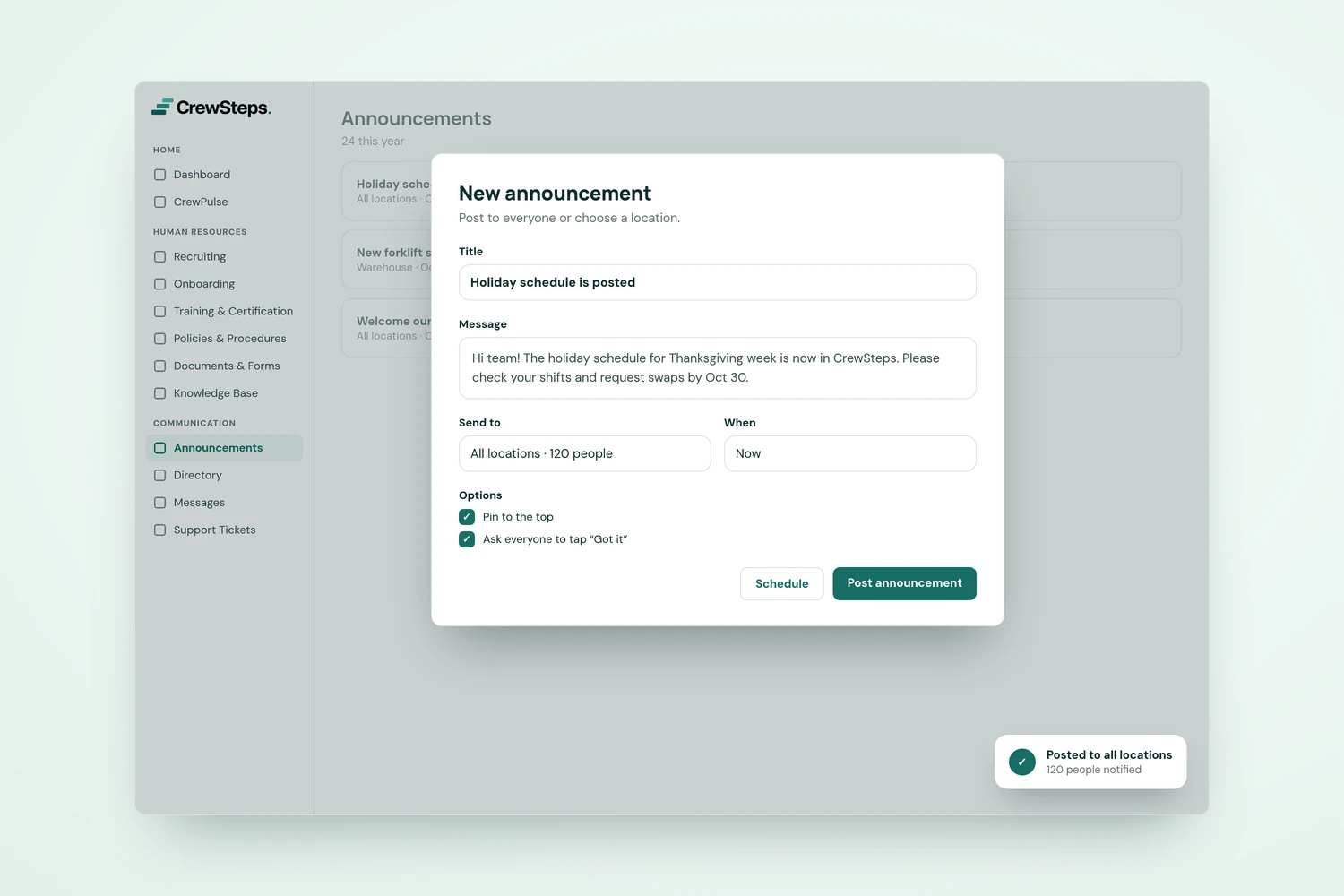
Publish and manage announcements

CrewSteps "New announcement" window posting the holiday schedule to all locations with options to pin it and ask everyone to tap Got it.
Illustrative screen with example information.

Front and center on the dashboard

Choose dashboard visibility and pinning, so the updates that matter most are the first thing people see.
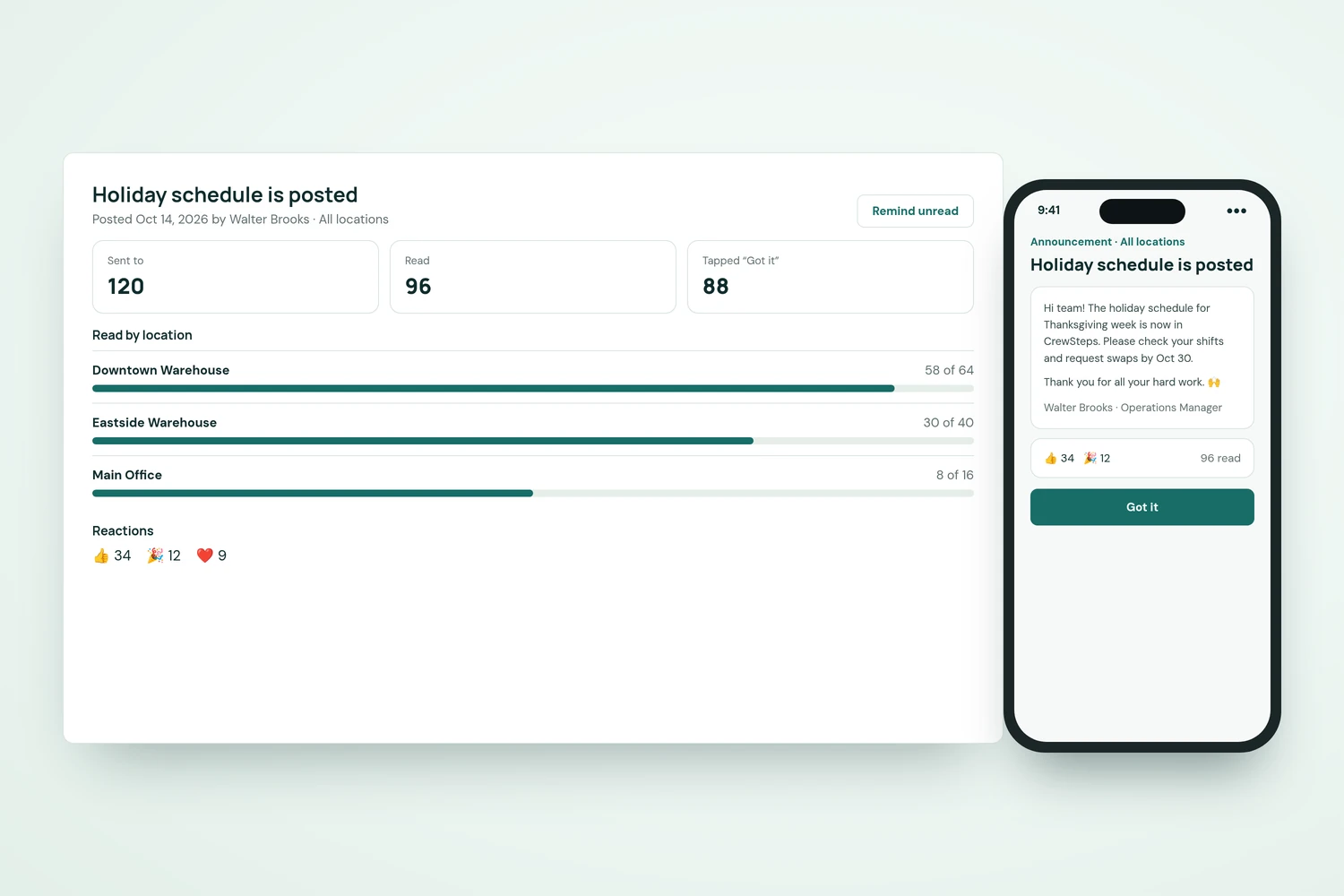
CrewSteps announcement summary showing 96 of 120 people read it, read rates by location, reactions, and the announcement on a phone.
Illustrative screen with example information.

Conversations when you want them

Allow replies to start a conversation, or turn them off for a read-only update. Employees can read and reply from Announcements or the dashboard.

Read announcements and join conversations

A diverse warehouse crew in safety vests smiles during a morning huddle while their supervisor holds a tablet.

Expiry, push and text controls

Set an expiry date so old news leaves the feed, extend it when needed, and send push or text notifications explicitly when an update needs a second nudge. Push and text delivery depend on each recipient's settings and connected services.

Messages

Every core feature, one organization-wide price.

One price, every feature

Use Cookie settings to turn optional advertising measurement on or off. Closing the notice does not change your choice.